One system. Every stage. No pipeline drift.
Stop losing candidates between your ATS, CRM, and spreadsheets.
RecruitMonster replaces the disconnected tools that slow agency recruiters and in-house talent teams. Run intake, screening, client submissions, interviews, offers, and placements from a single operating record — with nothing falling through the cracks.

Interactive preview
Every source, one structured profile — built automatically.
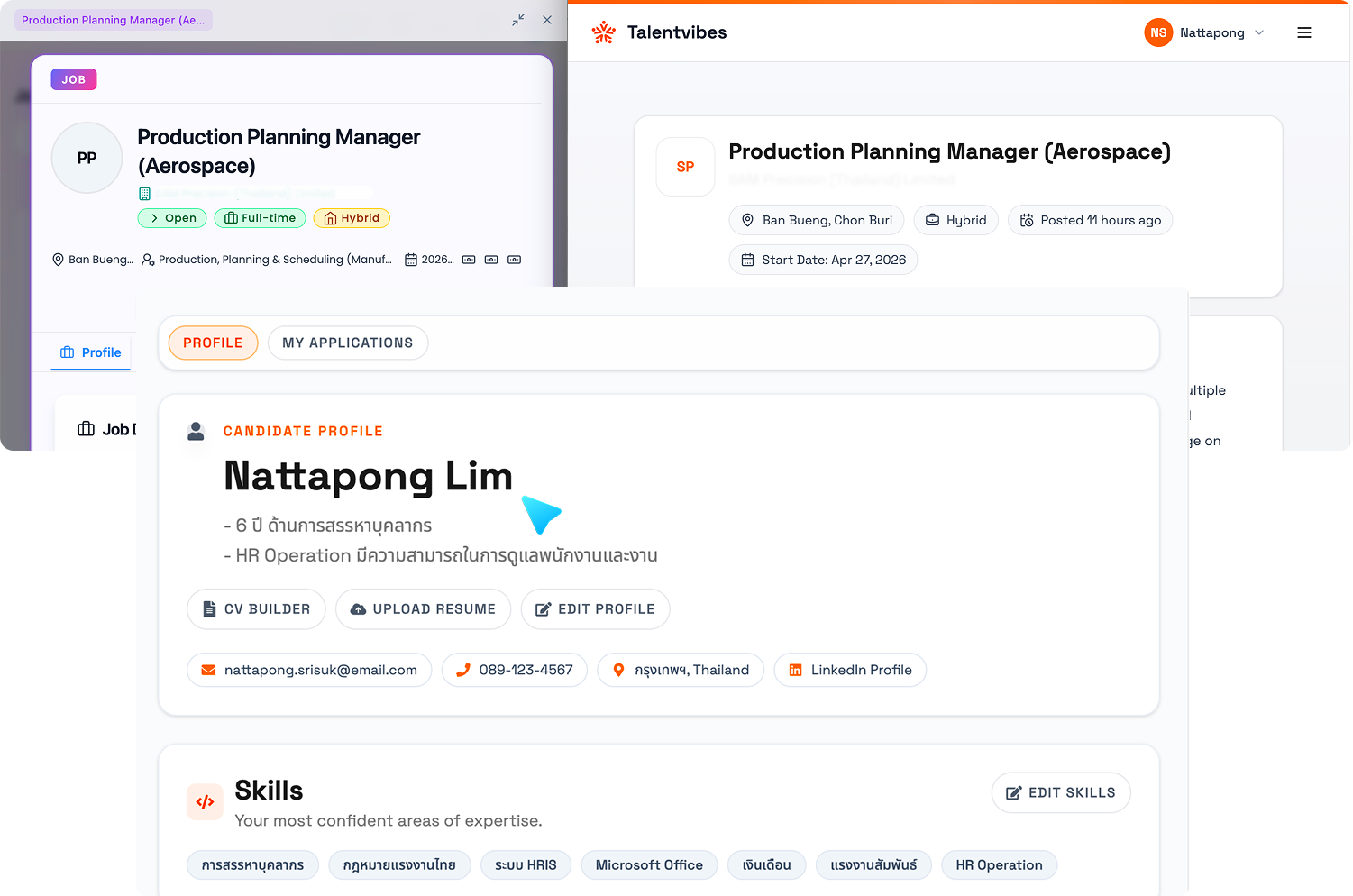
Resumes, career-site applications, profile signals, and portfolio links feed into a single candidate record. AI enrichment fills in missing fields, standardizes work history, and scores profile completeness so recruiters review candidates instead of cleaning up data.
What changes when you switch
Every candidate moves through defined stages — screening, submission, interview, offer, placement — with actions, notes, and status logged on the same live record.
Candidates link to jobs. Jobs link to clients. Contacts link to submissions. One record graph replaces the four disconnected systems.
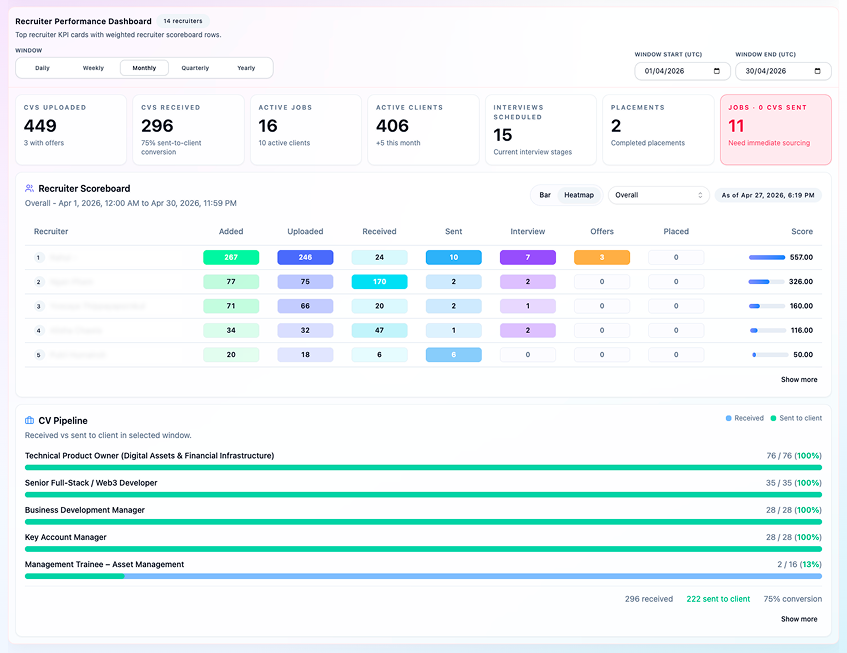
Managers see which recruiters submitted this week, which candidates stalled at screening, and which offers are waiting on approval — on a live dashboard, not in a Friday status email.
Problem
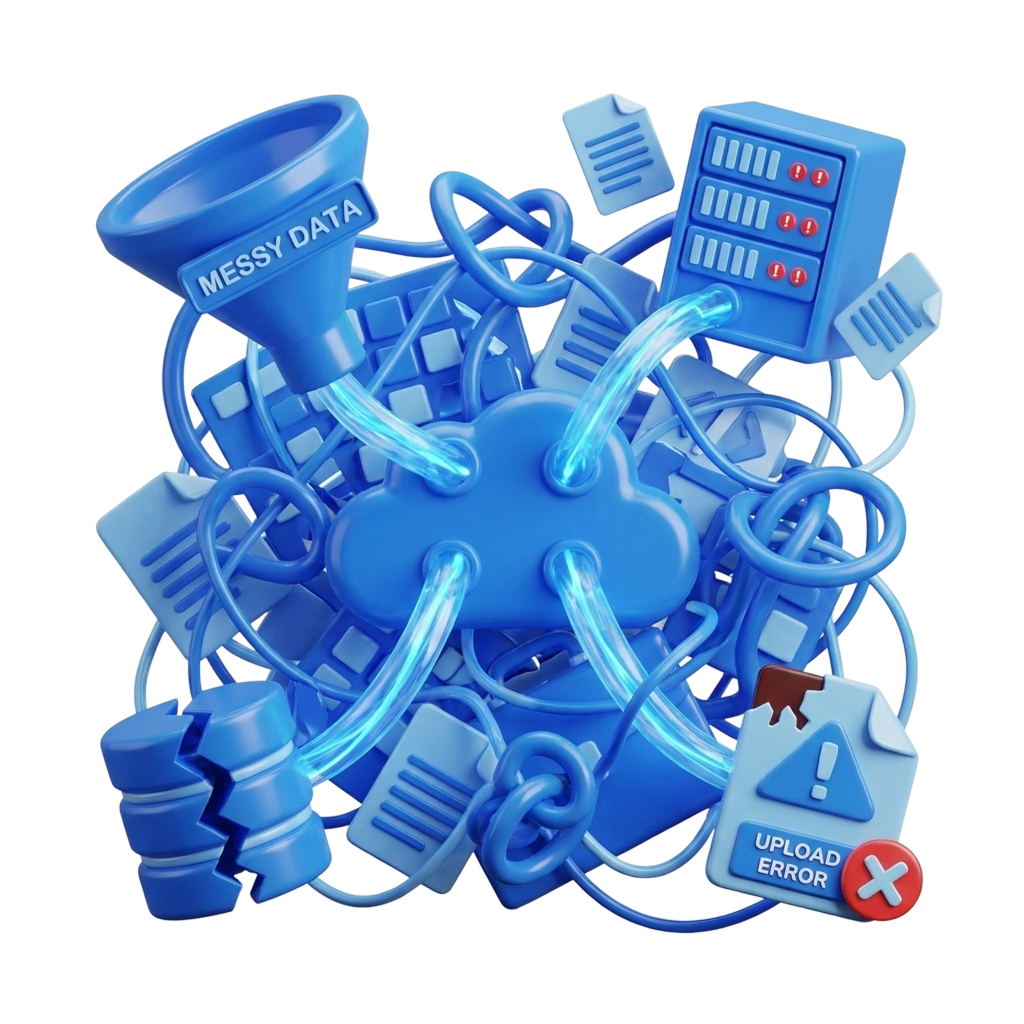
The issue is not volume. It is the time you lose between tools.
Recruiting teams lose hours every week to scattered data, inconsistent workflows, delayed reports, and broken handoffs. Here is where the drag happens.
Scattered recruiter work
When notes live in email, status changes live in spreadsheets, and submissions live in a shared drive, recruiters spend more time searching than recruiting. Every context switch costs 10–15 minutes of refocusing.
Inconsistent stages across roles
Different clients want different workflows, but that does not mean your reporting has to break. Without standardized stage structures, you cannot compare time-to-fill across roles or measure where candidates drop off.
Weak reporting and late visibility
If your pipeline report is a Monday morning spreadsheet export, you are making decisions on data that is already stale. Managers should see recruiter activity and stage movement as it happens — not after the fact.
Messy handoffs
A candidate record that was useful at intake becomes useless by the time it reaches the client if every team member adds data in a different format. Clean records from intake to placement mean fewer "can you resend that?" emails.
How it works
Go live in days, not months — without losing your current pipeline.
Import your live pipeline data
Bring resumes, spreadsheet exports, and candidate records from your current ATS or CRM in one pass. Your active roles and in-progress candidates move with you — no manual re-entry, no starting from scratch.
Map your stages and fields in minutes
Configure the workflow stages, custom fields, and views your recruiters already use. Agency submission flows, multi-round interview tracks, and in-house hiring models all set up without forcing a new process on the team.
Run every active role from a single record
Intake, screening, client submissions, interviews, offers, and placements move through the same system from day one. Recruiters stop switching tabs; managers stop asking for status updates.
Go live on your first role within days
Start with one team, one client, or one active role. Prove the process works before expanding — so your team builds confidence instead of hitting a full-migration wall.
Proof
See the system in the product, not just in copy.
Analytics
Better visibility than exported spreadsheets and late recruiter updates.
The dashboard proves the difference: recruiter activity, candidate movement, client submissions, and conversion tracking are visible on live recruiting data instead of stitched together after the fact.

Candidate experience
Give candidates a cleaner front door without sacrificing internal structure.
The candidate-facing experience stays branded and easier to use, while recruiter-side intake, updates, and application tracking still feed the same structured pipeline.

AI & automation
AI that structures your data — not just decorates your dashboard.
Every major ATS now claims AI. RecruitMonster uses it where it actually saves recruiter time:
Resume parsing
Resumes and CVs are automatically broken into structured fields: skills, experience, education, location, and availability.
Profile enrichment
Incomplete candidate records are filled in using public data signals — portfolio links, professional history, and other publicly available information.
Duplicate detection
The system identifies candidates who already exist in your pipeline before you create a duplicate record.
Fit scoring
Candidates are scored against job requirements so recruiters can prioritize the strongest matches first.
Suggested actions
The system flags candidates sitting in a stage too long, submissions needing client follow-up, and interviews needing scheduling.
Integrations
Connects with the tools your team already uses.
FAQ